
install jupyter Notebook without anaconda, [Minimum Installation], Add python and R kernel

If you want to use jupyter notebook with python and R but don't want to install Resource consuming anaconda IDE Here is what you need. in this post i'm going to intall Python, R and Jupyter Notebook directly from your windows command prompt.

Step 1. Install Python3

Go on to the site download the latest binary and keep clicking next, next and next (Do not forget to note your installation directory for python) https://www.python.org/downloads/

Step 2. Check your python insallation by opening CMD

Open Run type "cmd" (Hit Ctrl + Shift + Enter to open in admin mode)
type "python" you will see the python interpreter (fun fact: type "import this")
type "exit()" to exit interpreter
To install jupyter notebook type python -m pip install notebook (command Requires Administrative privilege's)

you can add other library also to install like python -m pip install notebook numpy pandas matplotib seaborn
if you see error 'python' is not recognized as an internal or external command, operable program or batch file.
you can search click https://www.google.com/search?q=how+to+add+python+to+path+windows and check any site there are lots of tutorial out there


Step 3. Install R

go to the site https://mirror.niser.ac.in/cran/
Download R for Windows
install R for the first time.
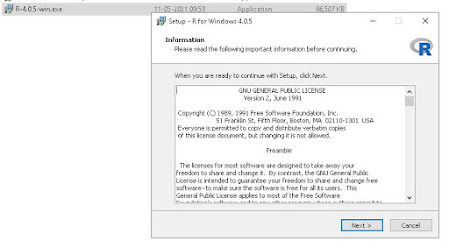
Download R 4.x.x for Windows once Downloaded open exe file.

Don't Forget to choose  64-bit version
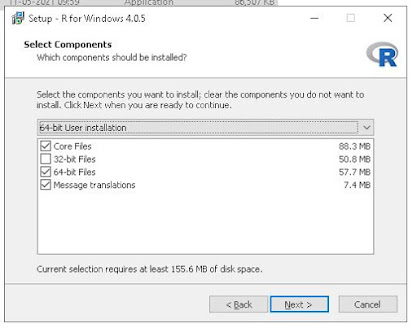
Step 4. Check your R insallation

Open windows command prompt type "R" you will see R interpreter 

if you see error 'R' is not recognized as an internal or external command, operable program or batch file.
you can search click https://www.google.com/search?q=how+to+add+R+to+path+windows and check any site there are lots of tutorial out there

Step 5. Add R kernel in Jupyter Notebook

In R interpreter type "install.packages('IRkernel')"

Then type "IRkernel::installspec()" you are done.
 

Step 6. Open Jupyter notebook

Now open Run type "jupyter notebook" select R kernel fron New Once new notebook starts
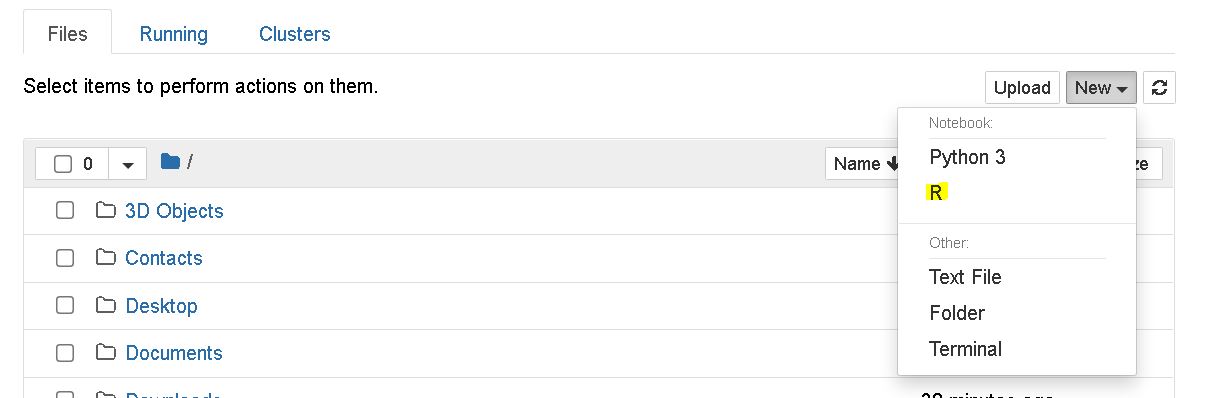


start programming and change the world!

Comments

Popular posts from this blog

Best TV Shows To Watch

Hello Friends If you don't know what are the best TV shows to watch, you'll find the answer here 1. Lost In Space(1 season) After crash-landing on an alien planet, the Robinson family fight against all odds to survive and escape, but they're surrounded by hidden dangers. Read Storyline Set 30 years in the future, colonization in space is now a reality, and the Robinson family is among those tested and selected to make a new life for themselves in a better world. But when the new colonists find themselves abruptly torn off course en route to their new home they must forge new alliances and work together to survive in a dangerous alien environment, light-years from their original destination. Stranded along with the Robinsons are two outsiders who find themselves thrown together by circumstance and a mutual knack for deception. The charismatic Dr. Smith is a master manipulator with an inscrutable end game. And the roguish, but charming Don West is a...

update Kali Linux,Kali Linux Fix update error

Kali Linux’s the great Penetration testing system is like any other system in the world it need to be updated, Most of the update is not by Kali Linux team, most of the update is by the tools programmers... By those smart guys who made the great tools you can find in Kali Linux So we have to update Kali Linux to keep the tools in functional order. This short tutorial will show you the command to update the tools and system. What you will learn in this tutorial is 1-  how to update Kali Linux 2-  how to fix update errors 3-  how to update Kali Linux on a network that has a proxy First you can check this youtube video So let's start ! Step One: Start Kali Linux and open a terminal. Step Two: Type 1 apt-get update && apt-get upgrade in the terminal and hit Enter Now everything should work fine and the update will start ... But what if you got some wired errors... 2- Fix Kali Linux Update errors Type 1 apt-get clean && a...